


Railstream
4.155.00 Reviews
App Specs
- Version
- Varies with Device
- Updated On
- License
- Free
- Downloads
- 100,000+
- Developer
- Railstream, LLC
- Categories
- Travel & Local
- Platform
- Android
Screenshots
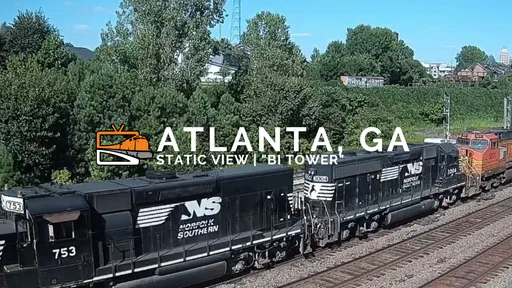
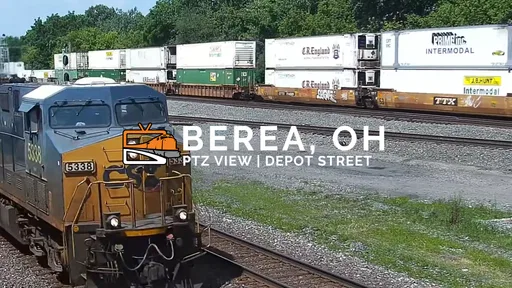
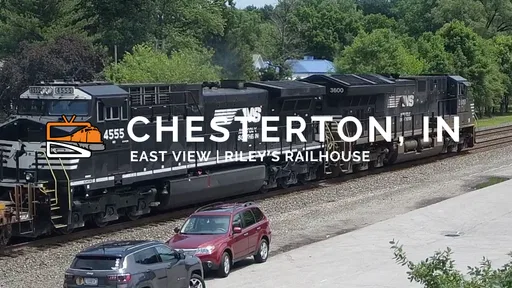
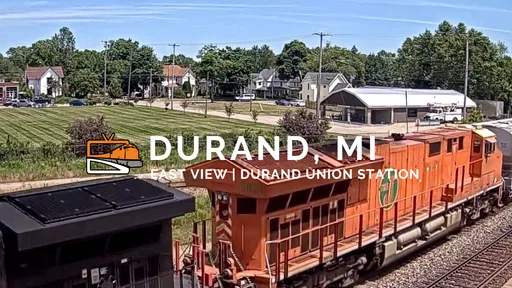

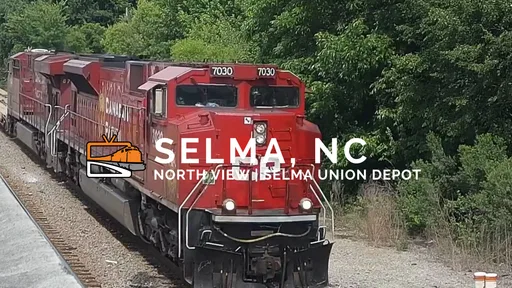
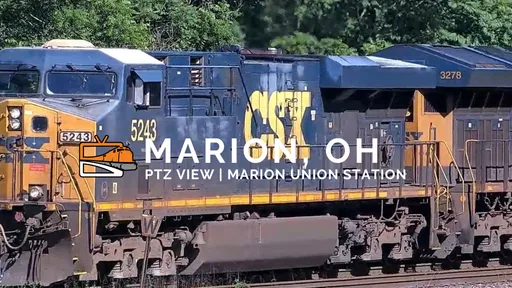
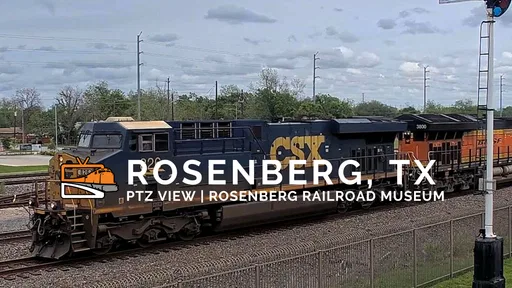
 Analysis by AppCompare
I tend to reach for a rail camera when I want a small, quiet window into another place rather than another fast-moving feed. Railstream is aimed at that particular mood: it lets me watch rail activity from home, making the journey itself the entertainment. It is most rewarding when I treat it as a destination for a deliberate viewing session, not as a travel planner or a substitute for being trackside.
Choosing it for the right kind of viewing
Railstream is a free Travel & Local app from Railstream, LLC, with optional in-app purchases. Its appeal is narrower than a general map or trip-planning tool, but that focus is useful: I open it to watch railway scenes, not to find a departure time or plan a route. If I want practical directions for an upcoming journey, a maps or transit app is the better first stop.
The audience is broader than dedicated railfans, though rail enthusiasts are likely to get the most from it. A casual viewer can enjoy the changing scene and the slow pace; someone who already follows railway activity may be more interested in checking cameras repeatedly. The key question is whether watching trains is enough on its own. If I need a game-like goal, a narrated tour, or a route itinerary, this is not the kind of app I would choose.
Turning a spare moment into a viewing session
A realistic use is a quiet break at home: I have a few minutes between tasks, choose a camera, and leave the live view on while I make tea. That works best when I am content to observe rather than expecting a train to appear on cue. Rail activity varies, and the pleasure is partly in watching the whole scene unfold, including the pauses between movements.
I would also use the app as a shared screen with a train-loving child or a relative who enjoys watching the world go by. Rather than trying to explain every detail, I can let them pick which camera to watch and point out changes in the scene. That makes the app a low-pressure conversation starter, although it is still a viewing experience, not a structured lesson or a guaranteed source of educational material.
Working around the limits of live video
Live viewing has a trade-off that is easy to overlook: the camera’s location determines what I can see, and the timing is outside my control. If a particular train or event is the reason I opened the app, I may need patience. I would avoid planning a short break around a specific pass unless I already know it is happening; otherwise, the wait can make a relaxing app feel frustrating.
Connection quality matters, too. A video stream uses more bandwidth than reading a route description, so I would choose Wi-Fi for a longer session and be mindful of mobile data when away from home. The published average rating is 4.1, based on around 500 ratings, and the app has been installed over 100,000 times. Those figures suggest a meaningful audience, but they do not tell me whether a particular camera or connection will suit my own setup.
Worth Reading Before You Choose

Flipboard Shows What News Apps Must Do Beyond the Feed

Switching to Android Auto Means Rethinking Your Driving Routine

Google Calendar Makes a Crowded Week Easier to Manage

Ludo King Makes the Most of the Minutes Between Plans

Baby Panda World Brings Quick Play to Modern Phones, but Its Game Library Feels Busy

ESPN’s Live Game View Makes Following Close Games Easier
What the numbers mean for trying it
There is no upfront charge to download it, which makes a brief trial a sensible way to see whether live rail viewing holds my attention. Optional purchases range from $1.99 to $149.99 per item, so I would check the in-app details carefully before paying and decide what I actually want from the experience first. The app is rated for Everyone and supports Android 6.0 or later, making it accessible to a wide range of Android users.
All Aboard the Railstream Experience!
Once I downloaded Railstream, I was immediately hooked. The app offers live streaming from various camera locations across some of the most stunning rail routes. Whether it’s the serene countryside of Switzerland or the bustling stations of Tokyo, the app delivers a front-row seat to the action.
Interface and Usability
The first thing I noticed was how intuitive the interface is. Navigating through the app is a breeze, even for someone like me who isn’t particularly tech-savvy. You’ve got your main menu with options like "Live Streams," "Popular Routes," and "Favorites." Just a few taps and you’re watching trains glide through breathtaking landscapes.
What I appreciate most is the app's simplicity. It doesn’t bombard you with unnecessary features. Instead, it focuses on providing a smooth and enjoyable viewing experience. The video quality is top-notch, too. I was pleasantly surprised by the clarity, even when streaming over a mobile network.
Features That Keep You Coming Back
Now, let’s talk about the features that make this app stand out. One of my favorites is the ability to bookmark your preferred cameras. This way, if you find a route that particularly captures your heart, you can easily revisit it. I’ve got a whole list of favorites that I return to whenever I need a moment of zen.
Another cool feature is the notification system. The app lets you know when a rare train or special event is happening at one of the cameras. It’s like having your own personal rail guide, ensuring you never miss a moment of excitement.
Catering to the Rail Aficionados
For those who are truly passionate about trains, Railstream offers a community feature where users can share their experiences and tips. It’s a great way to connect with fellow enthusiasts and discover new routes. I’ve picked up a lot of interesting tidbits just by browsing through the community posts.
And if you’re a bit of a history buff, you’ll love the detailed descriptions and historical context provided for each route. It adds an educational layer to your viewing experience, making it more enriching.
Why You Should Give It a Try
At the end of the day, Railstream is more than just an app; it’s a portal to a world of discovery and tranquility. Whether you’re a hardcore train lover or someone looking for a unique way to unwind, this app has something to offer.
The blend of high-quality streams, user-friendly features, and community interaction makes it a must-have for anyone interested in railways. So, why not hop on this digital train and see where it takes you?
In a world where we’re often rushing from one task to the next, Railstream invites us to slow down and appreciate the journey. And honestly, that’s a trip worth taking.
Making the most of a camera without turning it into a chore
Once I find a camera I like, I would use favorites as a small personal itinerary: a few reliable views for different moods, rather than trying to browse every option each time. That saves decision-making during a short break and makes it easier to return to a familiar scene. I would also give a new camera a little time before deciding it is not for me; the appeal may be the atmosphere of the location, not constant train movement.
Notifications can help when I am following a particular event, but I would treat them as prompts to check in, not a promise that a moment will be available whenever I tap. For a planned viewing session, checking the notification and then opening the relevant view makes more sense than leaving the app running all day. This is a useful distinction for anyone who wants occasional rail watching without letting alerts take over their routine.
How it compares with maps, videos, and station visits
Compared with maps and journey planners, Railstream is much less practical but more immersive: it offers a view of railway activity rather than information for getting somewhere. Recorded train videos are easier to watch on demand and can focus on a particular journey, while a live camera has the appeal of an unscripted scene. A real station visit offers atmosphere, sound, and movement that a phone screen cannot reproduce, but it takes time and travel. I see this app as a convenient complement to those options, not a replacement for any of them.
That distinction also helps set expectations for families. If the goal is to occupy a child with a predictable sequence or an interactive activity, I would pick something designed for that purpose. If the child already likes trains and can enjoy watching for a while, choosing a camera together can be a pleasant shared pause. For an enthusiast, the app is more compelling as a window into remote rail locations than as a complete reference library.
When I would pass, and what I would check first
I would skip it if I rarely enjoy watching live scenes, have limited data and no convenient Wi-Fi for video, or need dependable details for a real trip. I would also be cautious about spending on optional purchases before I have confirmed that the viewing style suits me. Since the app is free to try, the sensible first step is to browse a few camera views, see whether the streams fit my connection, and only then consider whether paid options add value for my own habits.
One practical question is whether it works well as background viewing. It can suit that use if the scene itself is enough, but I would not assume that every session will provide continuous action or that a stream can be treated like an always-changing show. Another is whether it is suitable for a first-time railfan: yes, if the person is happy to explore visually and learn at their own pace; no, if they need a guided introduction with structured explanations throughout.
As an Android app released in 2020, Railstream has a clear, specific purpose rather than the broad utility of a general travel service. My recommendation is straightforward: give it a try if trains, railway landscapes, or quiet live viewing genuinely appeal to you. Keep expectations realistic, use a stable connection for longer sessions, and regard the cameras as an invitation to observe rather than a timetable you can control. That is where the experience feels most worthwhile.
Pros
- High-quality live train streaming.
- Wide range of camera locations.
- User-friendly interface.
- No ads in the premium version.
- Regular updates and maintenance.
Cons
- Free version includes ads.
- Limited free camera access.
- Requires strong internet connection.
- No offline viewing option.
- Premium version is subscription-based.
FAQs for Railstream
What is Railstream, and how does it work?
Railstream is a live streaming app that lets users watch real-time footage from railroad cameras across the United States. Users can access multiple camera feeds to view trains as they pass through various locations. The app offers a unique experience for train enthusiasts and those interested in rail transport.
Is Railstream available on both Android and iOS devices?
Yes, Railstream is available for both Android and iOS platforms. Users can download the app from the Google Play Store or the Apple App Store. Ensure your device meets the minimum operating system requirements for optimal performance and compatibility.
Are there any subscription fees or in-app purchases?
Railstream offers both free and premium subscription plans. The free plan provides access to a limited number of camera feeds, while the premium plan unlocks additional features and cameras. Users can choose the plan that best suits their needs, with the option to upgrade at any time.
How reliable is the live stream quality on Railstream?
The live stream quality on Railstream is generally reliable, offering clear video feeds with minimal buffering. However, stream quality may vary depending on your internet connection strength and speed. For the best experience, a stable Wi-Fi connection is recommended.
What are the main features of Railstream that enhance user experience?
Railstream provides several features to enhance user experience, including multiple camera feeds, easy navigation, and real-time alerts for train schedules. Users can customize their viewing experience by selecting preferred locations and setting notifications for specific events, making it a versatile tool for rail enthusiasts.


